
Google Ads Compliance: What You Need to Know Before Launch
Google Ads compliance means making sure your advertisements, website, offers, targeting, business information, and account setup follow Google’s advertising policies before you start spending money.
Compliance isn’t limited to whether an ad gets approved. Google can evaluate the entire advertising experience, from the message a user sees in the search results to the landing page they reach after clicking.
Before launching a campaign, businesses should therefore verify four things: what they’re saying, where they’re sending users, who they’re targeting, and whether the account is technically ready to run.
This is especially important for industries such as healthcare, wellness, finance, education, and other regulated or sensitive categories, where certain claims, products, or advertising approaches may have additional restrictions.
A compliant campaign should make accurate claims, clearly communicate its offer, lead users to a functional and relevant website, use appropriate targeting, and have reliable billing and conversion tracking.
The goal is simple: don’t wait for Google to identify a problem after you’ve launched. Identify and fix it before your budget is at risk.
The 4 Areas You Must Check Before Running Google Ads
A proper pre-launch compliance check should cover more than the advertisements themselves. The four areas below cover the most important parts of the Google Ads customer journey.
1. Ads and Messaging
Your advertisements should accurately represent what you’re offering.
Before launch, review your headlines, descriptions, assets, calls to action, claims, pricing references, and promotional language. Avoid exaggerated promises, misleading statements, fake urgency, unsupported guarantees, or claims that the landing page cannot substantiate.
For example, saying “Guaranteed Results in 7 Days” creates a very different expectation from saying “Get Started With a 7-Day Trial.”
Also make sure your advertisements don’t imply something that the customer cannot actually receive after clicking.
Check:
- Are all claims accurate?
- Are promotional offers genuine?
- Are prices represented clearly?
- Are important conditions disclosed?
- Does the CTA accurately describe the next step?
- Does the ad match the actual product or service?
The basic test is: Would a reasonable customer interpret this advertisement the same way the business intends it?
2. Website and Landing Pages
A compliant advertisement can still create problems if the destination experience is misleading, inaccessible, or materially different from what the ad promises.
Your landing page should clearly explain the product or service, identify the business, provide relevant information, and deliver the experience users expect after clicking the advertisement.
Before launch, test the page on both desktop and mobile. Check that forms work, important information is visible, links function correctly, and the page doesn’t redirect users to an unrelated destination.
Check:
- Does the landing page load correctly?
- Does it match the advertisement?
- Is the business identity clear?
- Are contact details available?
- Is pricing represented accurately?
- Are important terms and conditions clear?
- Does the form work correctly?
- Is the page relevant to the keyword and advertisement?
- Are there any broken links or unexpected redirects?
Your landing page isn’t separate from your Google Ads campaign. It is part of the advertising experience.
3. Targeting and Campaign Settings
Compliance also involves making sure you’re targeting the appropriate audience, locations, products, and services.
Incorrect targeting can create both policy and performance problems. For example, a business serving only certain geographic areas may waste budget by targeting locations where it cannot actually provide its service.
Review your keywords, negative keywords, audiences, locations, exclusions, languages, devices, schedules, and network settings before launch.
Check:
- Are the targeted locations correct?
- Are excluded locations configured correctly?
- Are keywords relevant to the actual offer?
- Have irrelevant searches been excluded where appropriate?
- Are audience restrictions appropriate?
- Are language settings correct?
- Are sensitive or restricted categories being handled appropriately?
- Are campaign and ad group structures logically organized?
The objective isn’t to target as many people as possible. It’s to ensure your campaign reaches the right people in the right places with the right offer.
4. Tracking, Billing and Account Setup
A campaign can be fully compliant and still fail because the account isn’t technically prepared for launch.
Before spending money, verify that your payment method is active, account access is correctly configured, conversion tracking is working, and important conversion actions are properly defined.
Tracking deserves particular attention because Google Ads optimization depends heavily on the quality of the conversion data it receives.
Check:
- Is the payment method active?
- Are there any outstanding billing issues?
- Do the right users have account access?
- Are conversion actions configured correctly?
- Are conversion tags firing?
- Are important forms and calls being tracked?
- Are Google Ads and analytics data being connected correctly?
- Are primary conversions clearly defined?
- Has the complete conversion journey been tested?
A campaign shouldn’t be considered launch-ready simply because the ads are approved.
The account should be compliant, technically functional, measurable, and ready to optimize from day one.
Google Ads Compliance Audit: Step-by-Step
A Google Ads compliance audit should happen before a campaign goes live, not after the first disapproval. The objective is to review the complete advertising journey and identify anything that could create policy, technical, or user experience issues.
Step 1: Review the Business
Verify that the business name, contact information, services, products, and other important details are accurate and consistent across the website and advertising account.
Step 2: Audit the Offer
Check exactly what is being advertised. Review pricing, discounts, guarantees, eligibility requirements, limitations, subscriptions, and other conditions that could materially affect the customer’s decision.
Step 3: Review Ad Copy and Assets
Check every headline, description, image, video, CTA, and promotional statement. Remove unsupported claims, misleading wording, exaggerated promises, and anything that creates an expectation the business cannot fulfil.
Step 4: Audit the Landing Page
Make sure the destination works, loads properly, represents the advertised offer, clearly identifies the business, and provides the information users need before taking action.
Step 5: Review Targeting
Check keywords, audiences, locations, exclusions, languages, devices, schedules, and other campaign settings. Make sure targeting reflects where and to whom the business can actually provide its products or services.
Step 6: Check Tracking
Test important conversion actions such as forms, calls, purchases, bookings, and demo requests. Confirm that Google Ads is receiving the correct conversion signals.
Step 7: Check Billing and Account Status
Review payment methods, outstanding balances, account verification, access permissions, and any alerts inside the account.
Step 8: Test the Entire Customer Journey
Search the relevant keywords, view the advertisement, click through to the landing page, complete the intended action, and verify that everything works as expected.
Only after these checks should the campaign be considered ready for launch.
10 Critical Checks Before You Publish a Campaign
Use these ten checks as your final pre-launch filter:
- Business Information
Make sure your business name, contact details, website, and service information are accurate and consistent. - Ad Claims
Remove exaggerated, misleading, guaranteed, or unsupported claims. - Pricing and Offers
Verify that advertised prices, discounts, promotions, and conditions accurately reflect the actual offer. - Landing Page Relevance
Confirm that the landing page directly matches the advertisement, keyword, product, or service being promoted. - Website Functionality
Test page loading, forms, buttons, links, redirects, mobile experience, and other critical functions. - Keyword and Audience Targeting
Make sure targeting is relevant and doesn’t unnecessarily expose the campaign to unsuitable traffic. - Location Settings
Confirm that your campaign targets the locations where your business can actually serve customers. - Conversion Tracking
Test your primary conversion actions and verify that data is being recorded correctly. - Billing and Account Status
Check payment methods, account notifications, verification requirements, and access permissions. - Policy Review
Review the campaign against Google’s current advertising policies, particularly if you’re operating in a restricted or sensitive category.
A campaign that passes all ten checks is far less likely to encounter preventable launch problems.
7 Google Ads Policy Issues That Can Cause Disapproval
1. Misrepresentation
Misleading claims, hidden conditions, inaccurate pricing, false business information, or a mismatch between the advertisement and the actual offer can result in disapproval.
2. Destination Not Working
A landing page that doesn’t load, contains broken functionality, redirects incorrectly, or isn’t accessible can prevent an advertisement from running.
3. Circumventing Systems
Attempts to bypass Google’s advertising systems, enforcement mechanisms, or policy restrictions can lead to serious account-level consequences.
4. Restricted Products and Services
Certain products, services, industries, and advertising practices have additional restrictions. Businesses need to verify whether their category has specific requirements before launching campaigns.
5. Unacceptable Business Practices
Google may take action against businesses or offers that involve deceptive practices, misleading customer experiences, or other activities that users could reasonably consider harmful or dishonest.
6. Editorial Violations
Ads can be rejected for issues involving formatting, punctuation, capitalization, unclear wording, or other requirements around how advertisements are presented.
7. Malware and Website Security
A website containing malware, compromised content, harmful downloads, or other security issues can prevent advertising from running until the underlying security problem is resolved.
The important point is that a policy issue isn’t always caused by the ad copy. The website, offer, business model, or destination experience can also be responsible.
How to Check If Your Landing Page Is Google Ads Compliant?
Your landing page should deliver what the advertisement promises while providing users with a clear, functional, and trustworthy experience.
Use this five-part check before launching traffic.
1. Does the Page Match the Advertisement?
If your ad promotes a specific product, service, price, or offer, the landing page should clearly reflect it.
Avoid sending users to a generic homepage when the advertisement promises a specific solution.
2. Is the Business Clearly Identified?
Users should be able to understand who operates the website and how to contact the business. Make sure important business information is accurate and easy to find.
3. Are Claims and Offers Accurate?
Review testimonials, statistics, guarantees, discounts, pricing, product benefits, and other claims. Anything presented as a factual benefit should be accurate and supportable.
4. Is Important Information Clearly Communicated?
Don’t hide material conditions that could change a user’s decision. Depending on the offer, this could include pricing conditions, eligibility requirements, subscription terms, additional charges, limitations, or other relevant information.
5. Does the Page Actually Work?
Test the complete experience:
- Page loads correctly
- Mobile experience works
- Forms submit successfully
- CTAs function
- Links work
- No unexpected redirects occur
- HTTPS is functioning correctly
- The advertised product or service is available
- Conversion tracking fires correctly
A simple final test is to ask:
“If someone clicked this ad without knowing anything about my business, would the landing page give them exactly the experience they expected?”
If the answer is no, fix the landing page before launching the campaign.
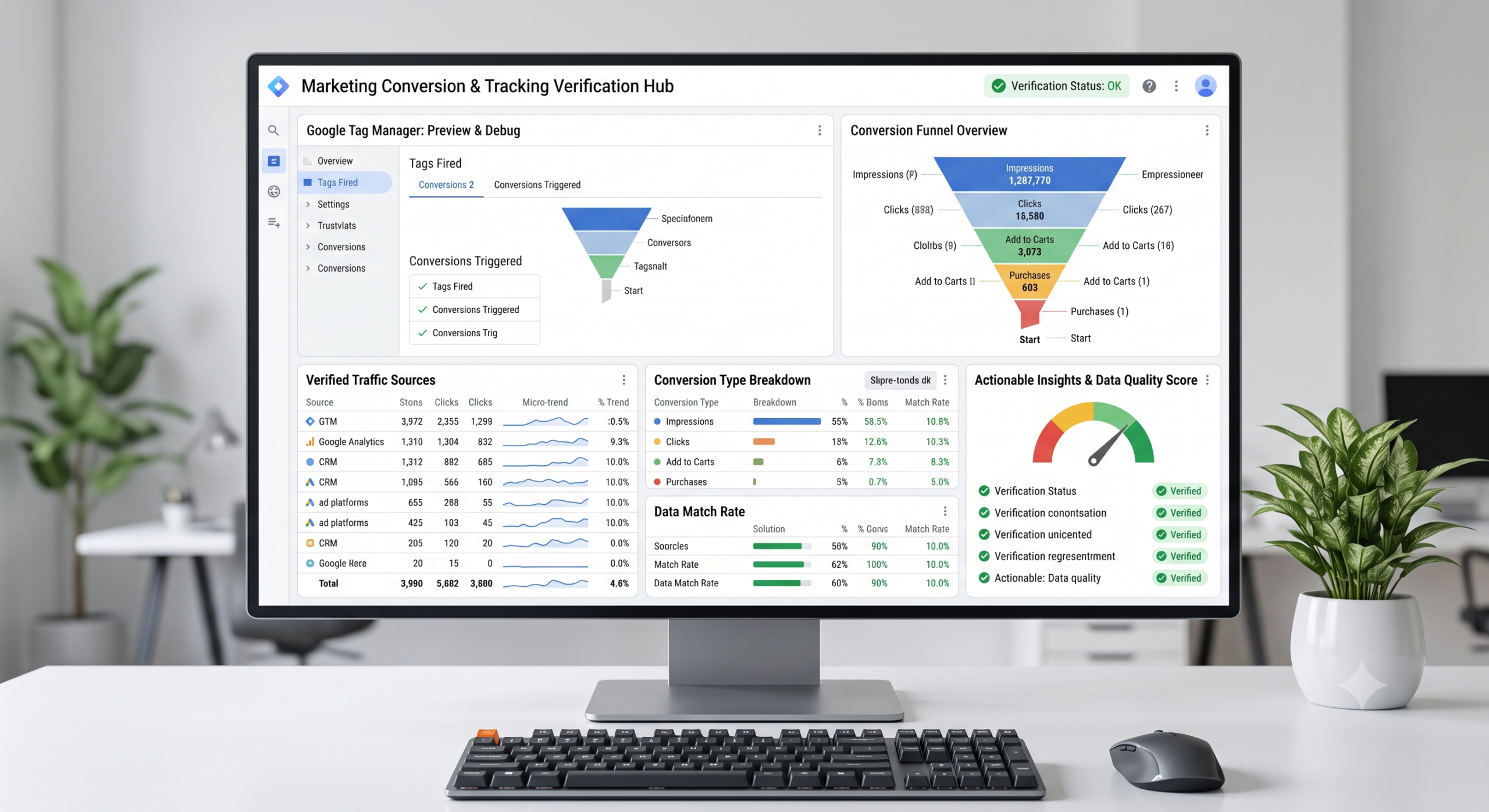
How to Verify Tracking and Conversion Setup?
A campaign can be fully compliant and still perform badly if Google Ads is receiving incorrect conversion data. Before launch, verify that your tracking setup accurately records the actions that matter to the business.
1. Define Your Primary Conversions
Decide what actually represents business value. This could be a qualified lead, purchase, demo request, consultation booking, phone call, or another meaningful action.
2. Test Every Conversion Action
Complete the conversion yourself and confirm that the corresponding event fires correctly. Test important forms, calls, purchases, bookings, and other conversion points rather than assuming the tracking works.
3. Check the Conversion Source
Verify whether the conversion is being captured through Google Ads tags, Google Analytics, imported conversions, enhanced conversions, or another configured method.
4. Check for Duplicate Conversions
Make sure one customer action isn’t being counted multiple times because of duplicated tags, multiple events, or incorrect configuration.
5. Verify Attribution and Reporting
Check that conversions are being attributed to the appropriate campaigns and that the data appearing in Google Ads matches what is happening on the website.
6. Test After Launch
Don’t treat tracking as a one-time setup. Monitor conversion volume and data quality after launch, particularly after website changes, tracking updates, landing page changes, or campaign restructuring.
Good campaign optimization starts with reliable conversion data. If Google is optimizing toward the wrong signal, even an otherwise compliant campaign can make poor decisions.
What to Do If Google Ads Flags Your Campaign?
Don’t immediately delete the campaign, create a replacement account, or repeatedly resubmit the same ads. First identify exactly what Google has flagged.
Step 1: Read the Policy or Error Message
Check the specific reason shown inside Google Ads. Determine whether it relates to the advertisement, landing page, business, product, targeting, billing, or another account component.
Step 2: Identify the Root Cause
Ask whether the problem is limited to the ad or exists elsewhere in the customer journey. A misrepresentation issue, for example, may be caused by pricing or claims on the landing page rather than the ad itself.
Step 3: Correct the Underlying Issue
Update the relevant advertisement, website content, offer, business information, targeting, or account configuration based on the actual problem.
Step 4: Review Related Campaigns
If the issue could affect multiple campaigns, check them before requesting another review. Fixing one advertisement while leaving the same issue elsewhere can result in additional disapprovals.
Step 5: Request a Review
Once the issue has genuinely been resolved, submit the appropriate review or appeal through Google Ads.
Step 6: Don’t Try to Circumvent Enforcement
Creating replacement accounts, disguising the same business, or repeatedly attempting to bypass restrictions can make a serious policy situation worse.
The goal should be compliance first, resubmission second, scaling third.
How Growthify Builds Compliance Into Google Ads Management?
At Growthify, compliance isn’t treated as a final checkbox after campaigns have already been created. It is considered throughout campaign planning, setup, launch, and optimization.
Our team reviews the relationship between ad messaging, offers, landing pages, targeting, tracking, and business information before campaigns are launched. This helps identify problems that may otherwise only become visible after an ad is rejected or a campaign stops delivering.
We also understand that compliance requirements and risks can vary significantly by industry. A healthcare campaign, wellness product, B2B software company, eCommerce business, and professional service provider can have very different advertising considerations.
Our approach combines:
- Google Ads campaign strategy and management
- Policy-aware ad and offer review
- Landing page and conversion optimization
- Conversion tracking checks
- Keyword and targeting audits
- Creative testing
- Performance monitoring
- Ongoing campaign optimization
The objective isn’t simply to get campaigns approved.
It’s to build Google Ads systems that remain compliant while generating qualified traffic, leads, and revenue.
This distinction matters because compliance and performance shouldn’t operate as separate priorities. A campaign that follows policy but generates poor-quality traffic isn’t successful. A campaign that generates leads but repeatedly faces policy problems isn’t sustainable either.
Growthify focuses on building the balance between both.
Final Thoughts
Google Ads compliance shouldn’t be treated as an obstacle standing between your business and advertising.
It should be part of the campaign strategy from the beginning.
The biggest compliance problems are often preventable. A misleading claim can be removed before launch. A broken landing page can be fixed before traffic arrives. Incorrect conversion tracking can be tested before the campaign starts optimizing. An unsuitable targeting setup can be corrected before budget is spent.
That is why the best time to identify a Google Ads compliance problem is before you launch.
Build the campaign correctly, verify the entire customer journey, make sure your tracking works, and then scale.
Compliance isn’t something you check after Google says no. It’s something you build into the campaign before asking Google to say yes.